
Are Standing Desks Better for Your Back?
You’ve probably heard that sitting all day is bad for your health. And if you spend most of your workday behind a computer, you may have wondered whether switching to a standing desk would help your back.
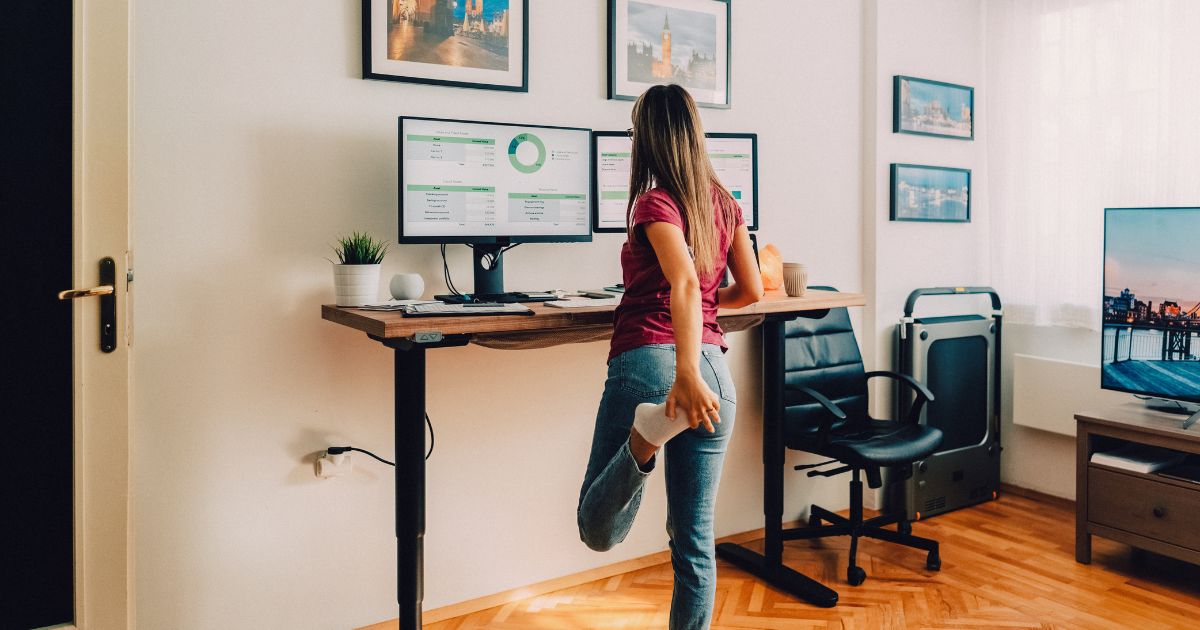
Standing desks have become increasingly popular in offices and home workspaces throughout Frisco, TX. They allow you to raise your computer and alternate between sitting and standing while working.
But here’s the question many people overlook: Is standing actually better for your spine, or are you simply replacing one uncomfortable position with another?
The answer depends on how you use your desk, how often you change positions, and whether you already have an underlying neck or back problem.
Let’s look at what standing desks can realistically accomplish, how to set one up properly, and the mistakes that may leave you feeling worse instead of better.
Is Standing Better Than Sitting for Your Spine?
Neither sitting nor standing is automatically harmful to your spine.
Your back is designed to tolerate a variety of positions and movements. Problems can arise when you remain in an uncomfortable or demanding position for long periods without changing it.
For example, sitting at a computer for several hours may leave some people feeling stiff through their lower back, hips, or neck.
But standing in the same position for several hours can also produce discomfort, particularly in the lower back, legs, and feet.
Research suggests that sit-stand workstations can reduce occupational sitting time. However, evidence that standing desks consistently prevent or treat back pain is less conclusive.
The biggest advantage of an adjustable standing desk is flexibility: it allows you to change positions throughout the workday.
Can a Standing Desk Help With Lower Back Pain?
Some people with lower back discomfort find standing more comfortable than sitting.
Others experience the opposite.
For example, certain disc-related symptoms may become more noticeable during prolonged sitting, while some people with lumbar spinal stenosis feel better when sitting or bending forward.
These patterns vary, and the position that feels better does not establish a diagnosis.
A standing desk may help you avoid remaining in a position that aggravates your symptoms, but it does not repair a damaged disc, reverse spinal degeneration, or correct an underlying spinal condition.
If your lower back pain continues despite changing your workstation, visit our Lower Back Pain page to learn how Dr. Jason Venn evaluates spinal problems at Venn Chiropractic in Frisco.
How Long Should You Stand at a Standing Desk?
One of the most common mistakes people make is switching from sitting all day to standing for nearly the entire workday.
That can create new discomfort, especially if your body isn’t accustomed to prolonged standing.
There is no universally established sitting-to-standing ratio that prevents back pain for everyone.
A practical starting point is to alternate positions regularly and adjust according to your comfort.
For example, you might begin with:
- 30 to 45 minutes of comfortable sitting
- 10 to 15 minutes of standing
- A brief walk or movement break when practical
- Additional position changes throughout the day
This is an example routine, not a medically required schedule.
If standing feels comfortable, you can gradually increase the duration. If your feet, legs, or back begin to ache, sit down or move around.
The goal is to create variety rather than reach an arbitrary standing-time target.
How to Set Up a Standing Desk Correctly
A standing desk that is positioned incorrectly can leave you bending your neck, reaching for your keyboard, or holding your shoulders in an uncomfortable position.
Use the following checklist to make your workstation more comfortable.
1. Position Your Monitor at a Comfortable Height
The top of your screen should generally be near or slightly below eye level, with the display positioned so you can view it without repeatedly bending your neck.
For many people, placing the screen approximately an arm’s length away is a reasonable starting point.
Adjust the height and distance based on your vision, screen size, and comfort.
If you wear progressive lenses, you may need a different monitor position to avoid tilting your head backward.
2. Keep Your Keyboard Near Elbow Height
Your keyboard should allow your shoulders to remain relaxed and your elbows to rest comfortably near your sides.
Avoid reaching upward to type or holding your arms extended in front of you for long periods.
Your wrists should remain in a comfortable, relatively neutral position rather than being sharply bent.
3. Keep Your Mouse Close
Place your mouse near your keyboard so you don’t repeatedly reach across the desk.
Frequent reaching may contribute to shoulder or upper-back discomfort in some people.
4. Stand Comfortably Without Locking Your Knees
Allow your knees to remain relaxed rather than rigidly locked.
Distribute your weight comfortably and change positions when you feel the need.
You don’t have to stand perfectly still or maintain one ideal posture.
5. Consider a Footrest
Some people find it comfortable to occasionally rest one foot on a low footrest while standing.
Alternating positions can change how your lower back and hips feel during longer standing periods.
However, a footrest is optional and isn’t necessary for everyone.
6. Wear Comfortable Shoes
Supportive, comfortable footwear may reduce foot fatigue during prolonged standing.
An anti-fatigue mat may also improve comfort for some people, although it isn’t a treatment for spinal problems.
Standing Desk Height: A Quick Setup Checklist
Instead of relying on a single desk-height measurement, adjust your workstation to your own body dimensions.
- Screen: Near eye level and at a comfortable viewing distance
- Keyboard: Approximately elbow height with relaxed shoulders
- Mouse: Close to the keyboard and easy to reach
- Elbows: Comfortably bent near your sides
- Wrists: Relatively straight and relaxed
- Knees: Comfortable rather than rigidly locked
- Feet: Supported by the floor or a suitable mat
- Position: Easy to change without discomfort
If you use a laptop, an external keyboard and mouse can make it easier to position the screen independently of your hands.
Five Common Standing Desk Mistakes
Mistake 1: Standing All Day
Standing for eight hours isn’t automatically healthier than sitting for eight hours.
Prolonged standing may increase fatigue or discomfort in the legs, feet, and lower back.
Alternate positions instead of treating standing as something you must do continuously.
Mistake 2: Leaning on One Leg for Hours
Occasionally shifting weight onto one leg is normal.
However, remaining in any position for a prolonged period can become uncomfortable.
Change positions naturally instead of trying to hold one stance all day.
Mistake 3: Looking Down at a Laptop
A laptop placed too low may encourage prolonged downward looking.
If your neck becomes uncomfortable, try raising the screen and using an external keyboard.
For more information about device-related discomfort, read our article Why Does Your Neck Hurt When Looking Down at Your Phone?.
Mistake 4: Forgetting to Move
A standing desk allows you to stand, but standing still is not the same as walking or exercising.
Regular movement breaks remain important.
Mistake 5: Assuming the Desk Will Fix Your Back Pain
A standing desk may improve comfort by allowing position changes, but it cannot diagnose or correct a spinal condition.
Persistent back pain deserves evaluation based on its cause rather than repeated adjustments to your desk.
Are Standing Desks Good for Neck and Shoulder Pain?
They can be helpful for some people, particularly when an adjustable desk allows better screen positioning and more frequent movement.
However, standing doesn’t automatically improve neck or shoulder symptoms.
If your monitor is too low, your keyboard is too high, or you’re constantly reaching for your mouse, discomfort may continue regardless of whether you’re sitting or standing.
Pay attention to whether symptoms improve when you change your workstation setup.
If pain continues, especially when accompanied by symptoms traveling into the arm or hand, the problem may involve more than workstation ergonomics.
Learn more about our Neck Pain evaluation and treatment approach.
Do Standing Desks Improve Posture?
Standing desks can make it easier to change positions, but they do not automatically correct posture.
There is no single ideal posture that everyone must maintain throughout the day.
People naturally vary in how they sit and stand, and occasional slouching is not proof that the spine is being damaged.
For many office workers, comfort and the ability to move regularly are more useful goals than trying to maintain perfect alignment.
If you have noticeable spinal asymmetry, persistent stiffness, or pain associated with certain positions, a clinical evaluation can help determine whether a musculoskeletal condition is contributing.
Visit our Posture Correction page to learn more about how spinal function and posture are evaluated at Venn Chiropractic.
What About Walking Desks and Under-Desk Treadmills?
Walking desks are another option for people who want to introduce more movement into their workday.
Slow walking may reduce sedentary time and increase light physical activity.
However, treadmill workstations aren’t suitable for every task or every person.
Typing accuracy, concentration, balance, and safety can become concerns, particularly when walking while performing detailed work.
If you choose to use one, start slowly, maintain a safe setup, and avoid activities that require your full attention or precise hand movements.
A walking desk isn’t necessary to benefit from regular movement breaks.
Three Simple Movement Breaks for Office Workers
Whether you use a traditional desk or a standing workstation, short movement breaks can help you avoid remaining in one position for too long.
1. Take a Short Walk
Walk around your office, home, or hallway for one to three minutes when practical.
This provides a break from sustained sitting or standing.
2. Gently Move Your Shoulders
Relax your arms and slowly roll your shoulders through a comfortable range of motion.
Avoid forcing movements that produce pain.
3. Change Your Spinal Position
Stand up, sit down, or gently move your back through a comfortable range of motion.
You don’t need to perform aggressive stretches or attempt to crack your spine.
If a particular movement consistently aggravates symptoms, stop and consider whether an evaluation is needed.
When Is Back Pain More Than a Workstation Problem?
It’s easy to blame a chair, desk, or computer screen when back pain develops during the workday.
But not every spinal problem is caused by ergonomics.
Some people experience persistent pain associated with spinal joint dysfunction, disc conditions, nerve irritation, or other musculoskeletal problems.
Consider an evaluation if you experience:
- Back or neck pain that continues despite workstation changes
- Pain that repeatedly returns during ordinary activities
- Discomfort that interrupts sleep
- Pain radiating into an arm or leg
- Recurring numbness or tingling
- Noticeable weakness
- Increasing difficulty sitting, standing, or walking comfortably
Seek urgent medical care for rapidly progressive weakness, new bowel or bladder dysfunction, saddle-region numbness, or severe symptoms following significant trauma.
How Dr. Venn Evaluates Persistent Desk-Related Neck and Back Pain
At Venn Chiropractic and Wellness Center in Frisco, TX, Dr. Jason Venn has more than 25 years of experience evaluating and treating spinal and musculoskeletal conditions.
His approach goes beyond simply telling patients to sit straighter or purchase a different chair.
Dr. Venn uses the Gonstead System to evaluate specific spinal joint problems and determine whether a precise chiropractic adjustment may be appropriate.
Depending on the patient’s symptoms and examination findings, the evaluation may include spinal motion assessment, orthopedic and neurological testing, and digital X-rays when clinically indicated.
For selected patients with disc-related symptoms, non-surgical spinal decompression may also be considered as part of an individualized care plan.
Spinal rehabilitation may be used to help patients improve movement, strength, and everyday function.
The goal is to identify the underlying source of discomfort rather than assuming that every case of back pain is caused by sitting too long.
Learn more about our Gonstead chiropractic approach and spinal rehabilitation services.
Frequently Asked Questions About Standing Desks and Back Pain
Is a Standing Desk Better for Your Back Than Sitting?
Not necessarily. Some people feel more comfortable standing, while others prefer sitting. The primary advantage of an adjustable desk is the ability to change positions rather than remain in one posture for prolonged periods.
Can Standing Desks Make Lower Back Pain Worse?
Yes. Prolonged standing can aggravate lower back discomfort in some people, particularly if they already have a spinal condition that makes standing uncomfortable.
How Often Should I Switch Between Sitting and Standing?
There is no universal schedule. Many people find it helpful to change positions every 30 to 60 minutes, but the appropriate frequency depends on comfort, symptoms, and work demands.
Should I Stand for Eight Hours at My Desk?
Generally, replacing an entire day of sitting with continuous standing isn’t necessary. Alternating sitting, standing, and movement is a more flexible approach.
Can a Standing Desk Fix Poor Posture?
A standing desk doesn’t automatically correct posture or spinal alignment. It can help you vary your working position and adjust your workstation for comfort.
Are Anti-Fatigue Mats Worth Using?
Some people find anti-fatigue mats more comfortable during prolonged standing. However, they aren’t necessary for everyone and should not be considered a treatment for back pain.
Why Does My Back Hurt More When Standing Than Sitting?
Different spinal and musculoskeletal conditions respond differently to sitting and standing. If standing consistently aggravates your symptoms, especially with leg pain, numbness, or weakness, an appropriate evaluation may help identify the cause.
The Best Workstation Is One That Lets You Move Comfortably
A standing desk can be a useful addition to your workspace, but it isn’t a cure for back pain or a guarantee of better posture.
For many people, the most practical approach is to alternate between sitting and standing, arrange the workstation comfortably, and include regular movement throughout the day.
If your back or neck continues to hurt despite these changes, it may be time to look beyond your desk.
Dr. Jason Venn has served the Frisco community since 2000, helping patients with back pain, neck pain, disc problems, and other spinal conditions through precise Gonstead chiropractic care and individualized treatment.
If persistent spinal discomfort is affecting your workday, contact Venn Chiropractic and Wellness Center in Frisco, TX, to schedule an evaluation.
This article is for educational purposes and does not replace individualized medical advice, diagnosis, or treatment.